OK Google,ComfortAt your command.
Connect your Venstar thermostat to Google Home and control your home's temperature with simple voice commands. Effortless, wireless, and hassle-free.

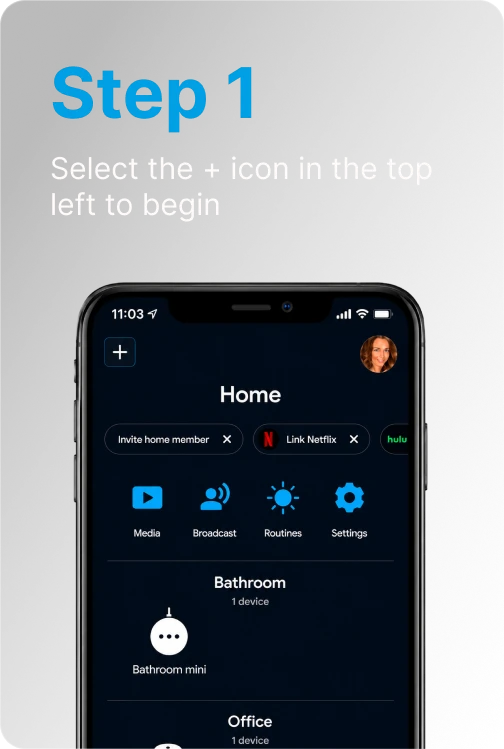
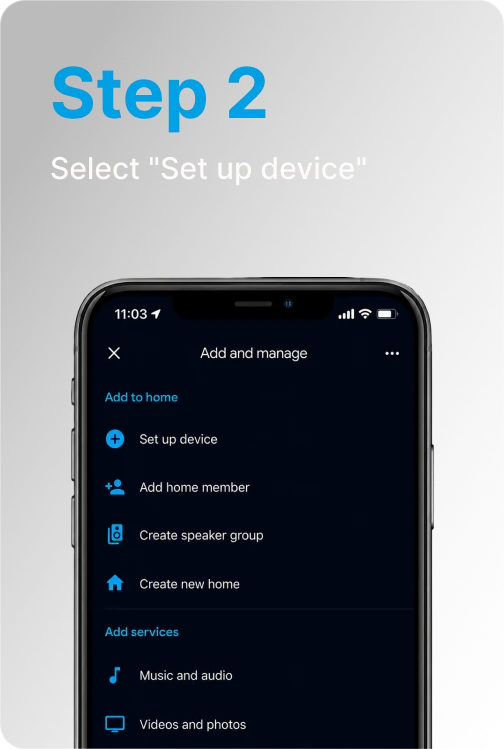
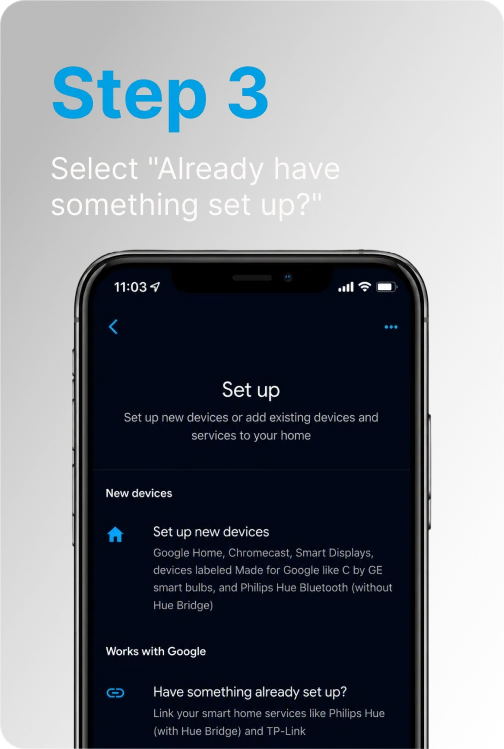
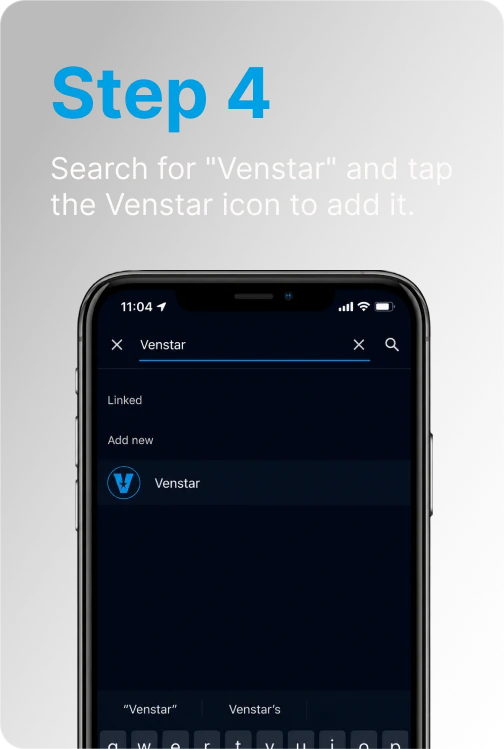
Connect Google Home to your
Venstar thermostats
Voice Commands
Six categories of commands that cover everything you need.
Just say "Hey Google" and your home responds.
Just say "Hey Google" and your home responds.
Set Temperature

- Okay (or “Hey”) Google, set my (thermostat name) to (75) degrees
- Okay (or “Hey”) Google, set (thermostat name) temperature to (75)
- Okay (or “Hey”) Google, set (thermostat name) to (75)
- Okay (or “Hey”) Google, set my (thermostat name) to (75)
- Okay (or “Hey”) Google, set the temperature to (75)
- Okay (or “Hey”) Google, set the thermostat to (75)
Quick Adjust

- Okay (or “Hey”) Google, raise temperature to...
- Okay (or “Hey”) Google, change temperature to...
- Okay (or “Hey”) Google, turn temperature to...
And Google Home will ask you which thermostat to change. Simply respond with the thermostat's name.
Adjust Temperature

- Okay (or “Hey”) Google, (turn up or turn down) the (thermostat name) by (3) degrees
- Okay (or “Hey”) Google, (turn up or turn down) the (thermostat name) temperature by (7) degrees
- Okay (or “Hey”) Google, decrease the (thermostat name) temperature by (4) degrees
- Okay (or “Hey”) Google, increase the (thermostat name) temperature by (6) degrees
Raise or Lower

- Okay (or “Hey”) Google, turn up (thermostat name)
- Okay (or “Hey”) Google, turn down (thermostat name) temperature
When using these commands, the temperature will change by 2 degrees.
Change Mode

- Okay (or “Hey”) Google, set the (thermostat name) to Heating
- Okay (or “Hey”) Google, set the (thermostat name) to Cooling
- Okay (or “Hey”) Google, set the (thermostat name) to Heat-Cool
- Okay (or “Hey”) Google, set the heat to (72) degrees on the (thermostat name)
- Okay (or “Hey”) Google, set the cool to (68) degrees on the (thermostat name)
- Okay (or “Hey”) Google, set the (thermostat name) to Off
- Okay (or “Hey”) Google, turn the (thermostat name) to Off
Check Status

- Okay (or “Hey”) Google, what is the (thermostat name) temperature?
- Okay (or “Hey”) Google, what is the (thermostat name) set to?

Download the Skyport App
Available free on the App Store and Google Play.



All product and company names and logos are trademarks™ or registered® trademarks of their respective holders.



© 2026 Venstar, LLC. All rights reserved.