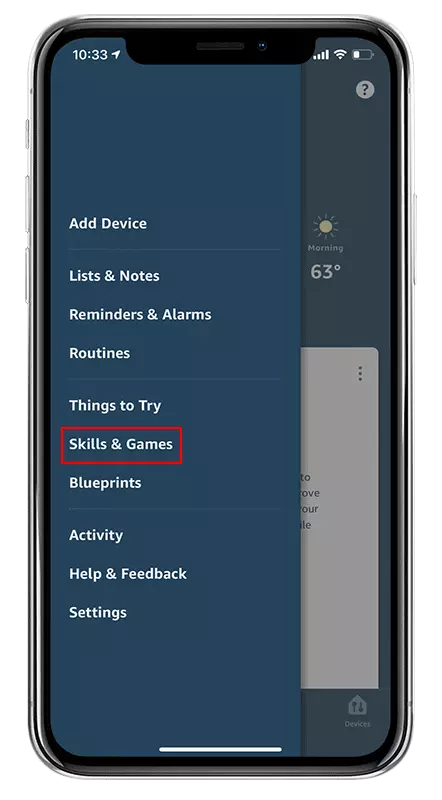
Select “Skills & Games” in the menu of the Amazon Alexa App
Step 2
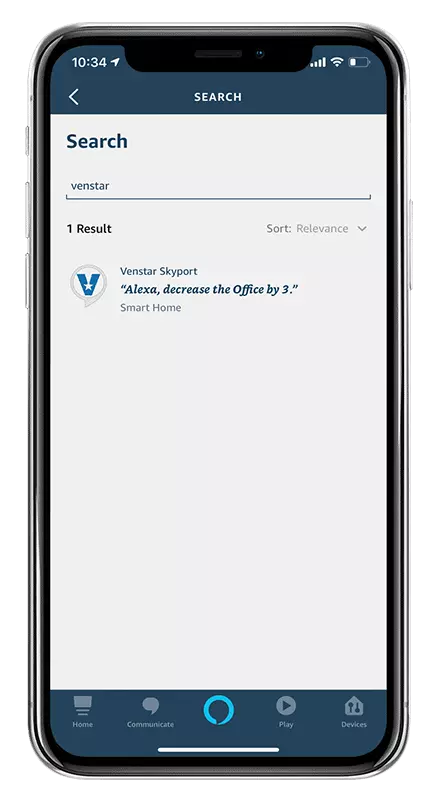
Search for “Venstar”
Step 3
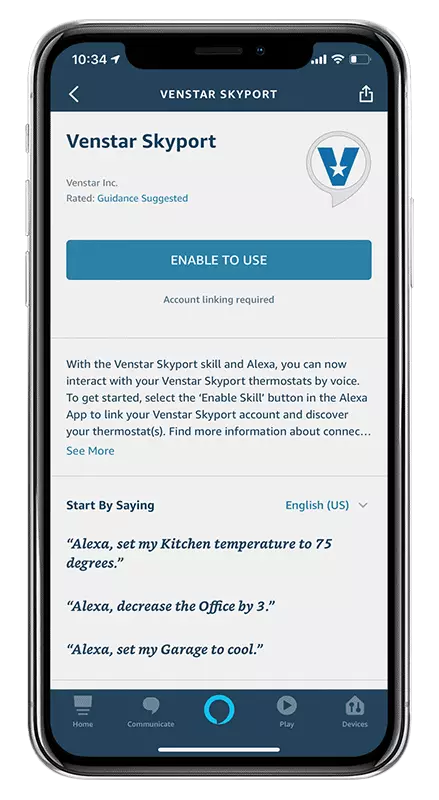
Press the “ENABLE TO USE” button
Step 4
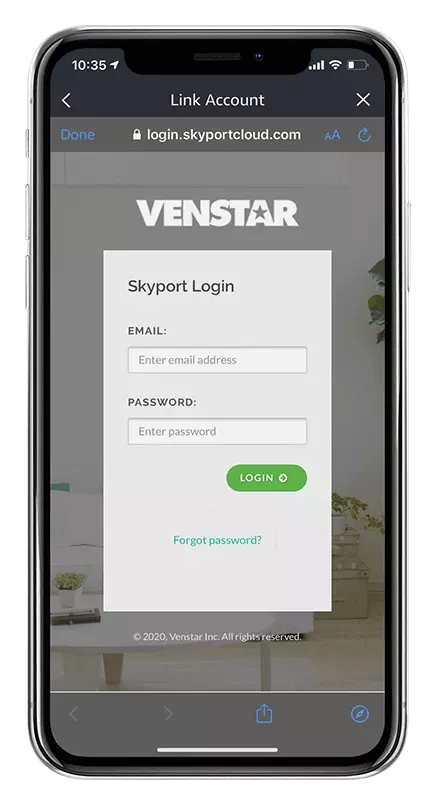
Login with your Skyport username and password
Step 5
Authorize "Amazon Alexa Smart Home" to access your Skyport
account
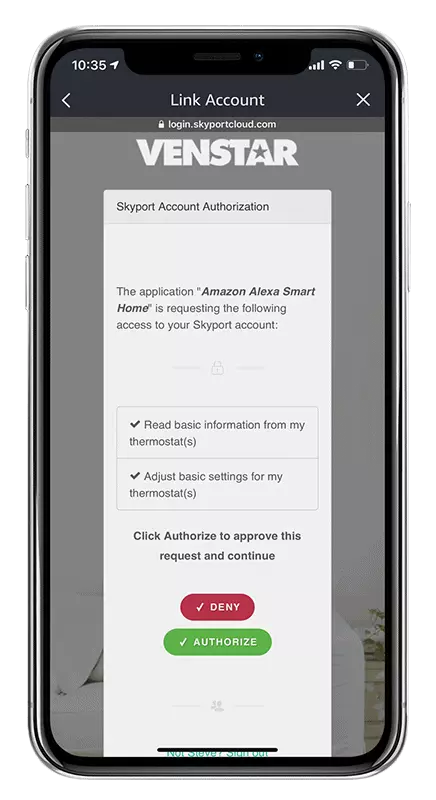
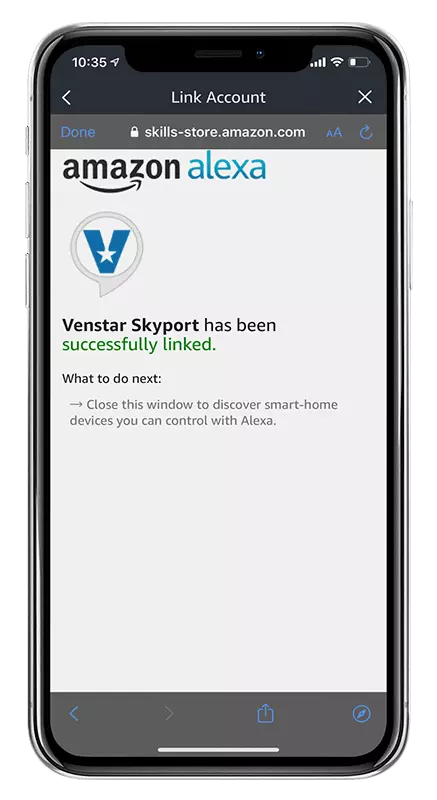
Step 6
Once your account is linked, press the “X” at the top right
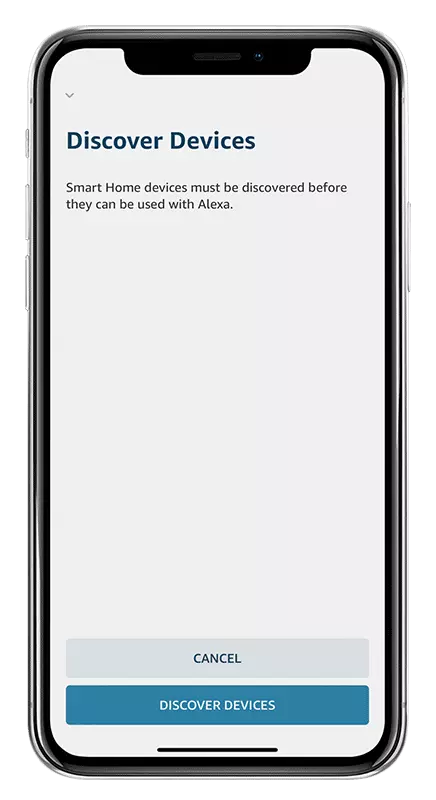
Step 7
Click on "Discover Devices" to add your Skyport thermostats to
Amazon Alexa
Voice Commands
Setting your thermostat to a specific temperature:
Alexa, set my (thermostat name) to (75) degrees
Alexa, set (thermostat name) temperature to (75)
Alexa, set (thermostat name) to (75)
Alexa, set my (thermostat name) to (75)
You can also use phrases like:
Alexa, raise temperature to...
Alexa, change temperature to...
Alexa, turn temperature to...
and Alexa will ask you which thermostat to change. Simply respond
with the thermostat's name.
Changing the temperature of your thermostats:
Alexa, (raise or lower) the (thermostat name) by (3) degrees
Alexa, (raise or lower) the (thermostat name) temperature by (7)
degrees
Alexa, decrease the (thermostat name) temperature by (4) degrees
Alexa, increase the (thermostat name) temperature by (6) degrees
Alexa can also raise or lower the temperature without a specific
degree amount. When using these commands, the temperature will
change by 2 degrees:
Alexa, heat my (thermostat name)
Alexa, increase the (thermostat name) temperature
Alexa, heat up (thermostat name)
Alexa, lower the (thermostat name) temperature
Alexa, cool down (thermostat name)
Alexa, make (thermostat name) colder
TIP! Alexa will ask you which thermostat to change if you don't
include the name in the initial command. Simply respond with the
thermostat's name.
Notices
Currently, the Alexa system does not allow for changing a
thermostat's mode.
It is recommended to operate the thermostat in COOL or HEAT
mode.
The thermostat must first be named before use with the Alexa
system. This is most easily done via Skyport. Thermostat names
such as "Bedroom" or "Office" that use common words are
recommended over names such as "Conf Room" or "Bill & Linda".