Alexa,ComfortAt your command.
Link your Venstar thermostat to Amazon Alexa and control your home's climate with simple voice commands. Just say "Alexa" and let your home respond.

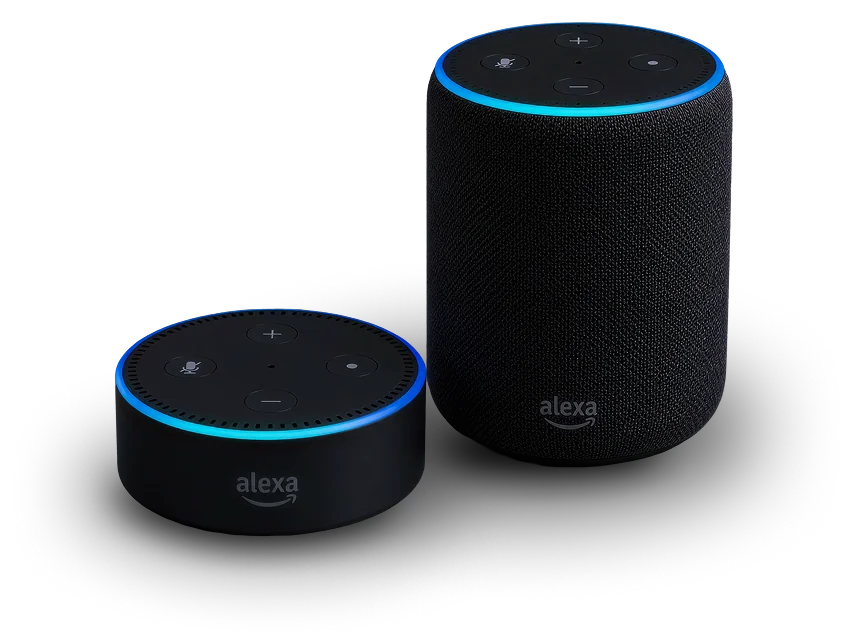
Important Notice: Amazon's transition to Alexa+ requires all existing Venstar Skyport users to reconnect their account before Alexa voice control will work again. Select the appropriate video below based on whether you are an Existing User reconnecting your account or a New User linking Alexa to Skyport for the first time.
Existing Users
New Users
Connect Amazon Alexa to your
Venstar thermostats
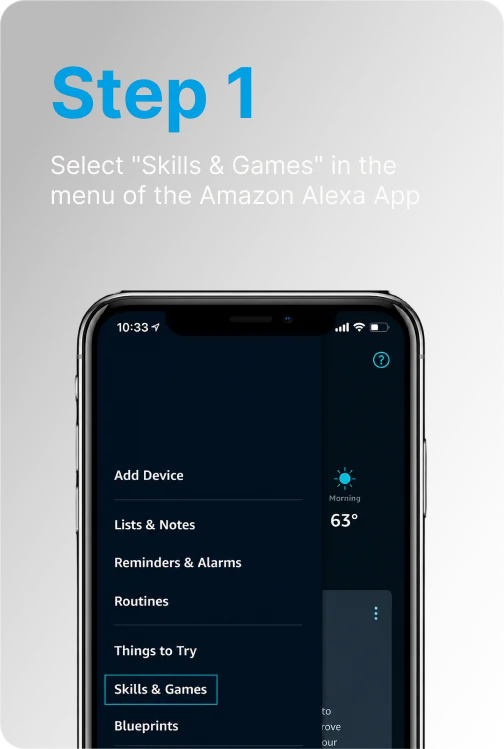
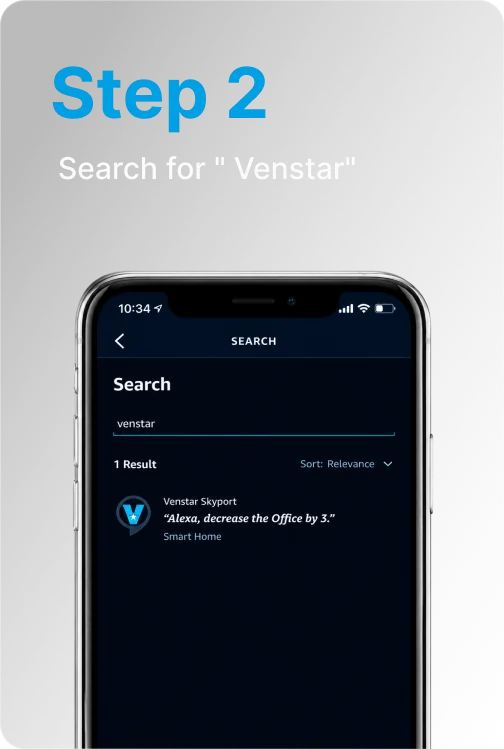
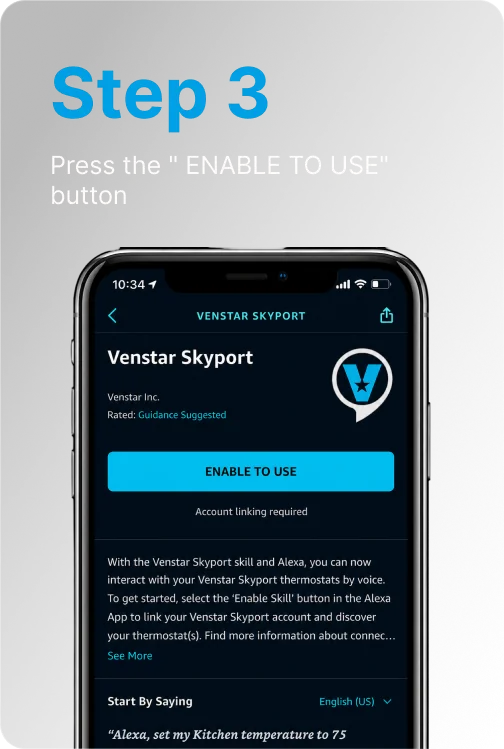
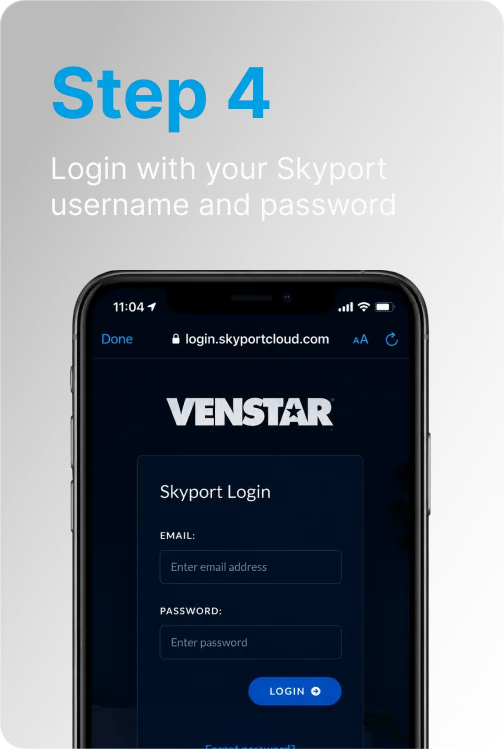
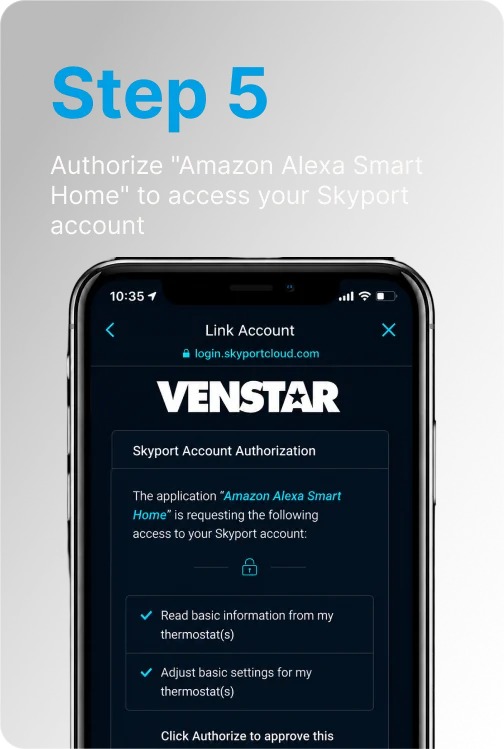
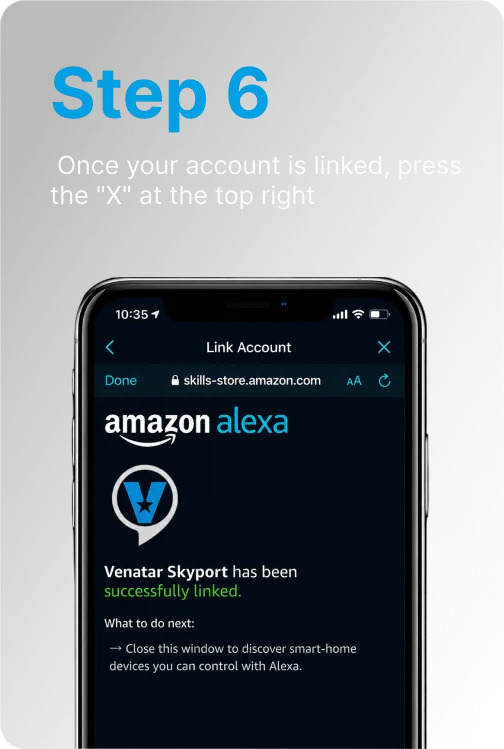
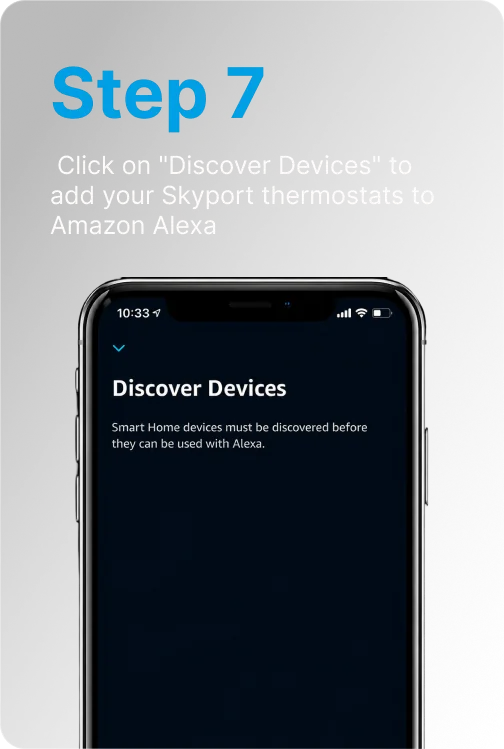
Voice Commands
Just say "Alexa" and your thermostat responds.

- Alexa, set my (thermostat name) to (75) degrees
- Alexa, set (thermostat name) temperature to (75)
- Alexa, set (thermostat name) to (75)
- Alexa, set my (thermostat name) to (75)

- Alexa, raise temperature to...
- Alexa, change temperature to...
- Alexa, turn temperature to...
Alexa will ask you which thermostat you want to adjust. Simply respond with the thermostat's name.

- Alexa, (raise or lower) the (thermostat name) by (3) degrees
- Alexa, (raise or lower) the (thermostat name) temperature by (7) degrees
- Alexa, decrease the (thermostat name) temperature by (4) degrees
- Alexa, increase the (thermostat name) temperature by (6) degrees

- Alexa, heat my (thermostat name)
- Alexa, increase the (thermostat name) temperature
- Alexa, heat up (thermostat name)
- Alexa, lower the (thermostat name) temperature
- Alexa, cool down (thermostat name)
- Alexa, make (thermostat name) colder
When using these commands, the temperature will change by 2 degrees.

TIP! Alexa will ask you which thermostat to change if you don't include the name in the initial command. Simply respond with the thermostat's name.
Notices
- Currently, the Alexa system does not allow for changing a thermostat's mode.
- It is recommended to operate the thermostat in COOL or HEAT mode.
- The thermostat must first be named before use with the Alexa system. This is most easily done via Skyport. Thermostat names such as "Bedroom" or "Office" that use common words are recommended over names such as "Conf Room" or "Bill & Linda".

Download the Skyport App
Available free on the App Store and Google Play.



All product and company names and logos are trademarks™ or registered® trademarks of their respective holders.



© 2026 Venstar, LLC. All rights reserved.